Projects become harder to understand long before they become harder to code.
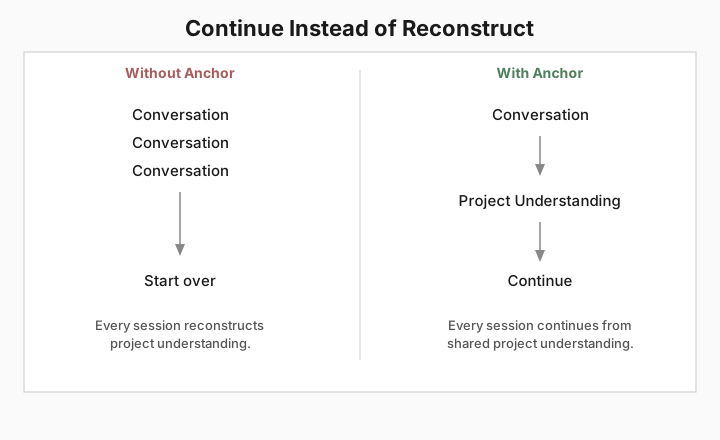
Conversations are enough at first. Decisions pile up. A different tool or a new session suggests something incompatible with what was already settled. More time goes into restoring context than building.
When project understanding lives in chat history, every new session starts by reconstructing what the project already knew.
Anchor organizes project understanding so humans and AI can build from the same foundation.
Like version control and CI/CD before it, Anchor makes an engineering constraint explicit — durable project context — so collaborators stop reconstructing it from scratch.
No magic
Anchor doesn’t become your documentation. It becomes the map to it.
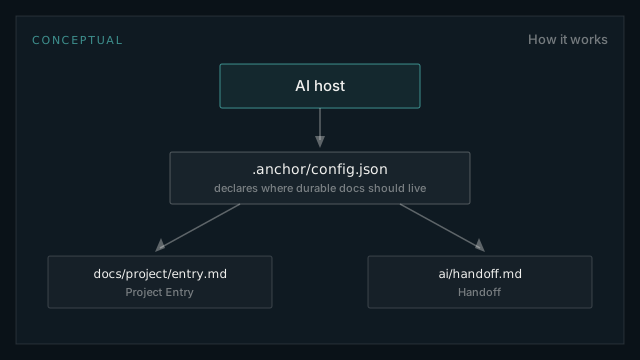
How it works
A small configuration declares where your project’s durable documentation should live.
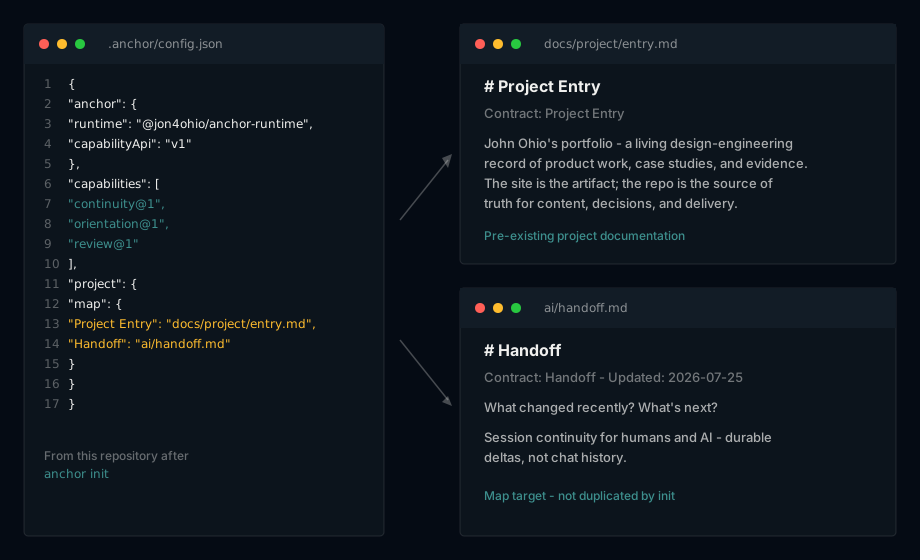
What that looks like
Actual output from Anchor in this project. No hidden memory. No cloud service. No lock-in. Everything is stored as plain files in your repository.
Try it
Install, initialize, then connect your AI host.
npm install -g @jon4ohio/anchor-runtime

cd your-project
anchor init
`anchor init` creates `.anchor/config.json` — it declares what your project coordinates. It does not activate your coding agent.
Next: connect your AI host so it can invoke Anchor’s capabilities, verify with an orientation ask, then complete your first coordination (record an ADR).